Blog

August 31st, 2009

email_marketingEntrepreneur magazine columnist Gail Goodman offers an insightful look into email marketing and its relevance in today’s social network marketing-crazy world. She argues that despite the rise of Twitter, LinkedIn, Facebook, blogging, and other Web 2.0 tools for direct marketing, she argues that they will not likely displace email soon.

Goodman points out several arguments in support of her case. Among them: email is still valuable for relationship-building and meaningful interaction and dialogue with customers. Also, social networking has its place as a complementary channel to the marketing mix, and research from MarketingSherpa seems to bear this out. Another is that young people continue to use email despite their fascination with social networking sites.

If you rely on Internet, email, or direct marketing in your business, then be sure to continue using email as well.

Related articles:

Published with permission from TechAdvisory.org. Source.
Bookmark and Share
August 28th, 2009

fake_securityA new report by PandaLabs, Panda Security’s malware analysis and detection laboratory, examines the proliferation of so-called “rogueware” – malicious software that attempts to convince people that their computers are infected with malware in order to trick them into buying their “security software”.

Rogueware misleads users in that it tells them that it is protecting them from annoyances (such as online ads) or harm (such as from viruses or other malware) – even if it’s not. Often these programs themselves are not malicious beyond displaying false information. However, in some cases they can be the source of harm themselves, creating a backdoor for other Trojans or viruses to enter the system.

According to Panda’s research, as many as 35 million computers are newly infected with rogueware each month, many through social networking websites such as Facebook, MySpace, Twitter, Digg. Ads featuring free downloadable software are often featured, containing links or reminders to get the paid versions after first use—which earn the fraudsters as much as $34 million per month, Panda estimates.

To ensure you use only legitimate security software, make sure you only use systems from trusted software vendors that are vetted by your IT advisor. For advice and help, contact us today!

Related articles:

Published with permission from TechAdvisory.org. Source.
Bookmark and Share
August 18th, 2009

Microsoft recently announced the availability of the Release Candidate for Windows XP Mode. According to Microsoft, this release was specifically designed to ease the migration path for small to medium-sized businesses by providing additional compatibility for their older applications that may not be compatible with Windows Vista or the upcoming Windows 7.

Windows XP mode runs a virtualized instance of Windows XP in Windows 7, and requires a PC equipped with additional 1 GB of RAM, 15 GB of available disk space, and a processor capable of hardware virtualization with AMD-V or Intel VT turned on in the BIOS. Because of these system requirements, older PCs are not able to run the software.

In the blog post by the Windows 7 Development team, they suggest that users first try the Native Windows 7 mode when running their applications before resorting to Windows XP mode. Windows XP Mode was developed to address some users’ concerns about compatibility, considering that Windows 7 uses the same kernel as Windows Vista. Some businesses had been holding back from upgrading their operating systems since some business applications built for XP proved incompatible with Vista.

Windows XP Release Candidate will work with both the RC and RTM (Release To Manufacturing) versions of Windows 7. If you need more information, please contact us today and we’ll assess whether you can safely upgrade to the new release of Windows 7, or you need Windows XP compatibility mode for your business applications.

Related articles:

Published with permission from TechAdvisory.org. Source.
Bookmark and Share
August 13th, 2009

Microsoft recently announced that Windows 7 will include a feature to allow instant upgrades from lower editions of Windows 7 to a higher edition (i.e., from Starter to Home Premium) with the click of a button. The feature, called “Windows Anytime Upgrade” or WAU, will make the process of upgrading much simpler and more convenient than before.

Typical scenarios for upgrading include:

  1. Users running Windows 7 Starter Edition on their netbooks, who wish to upgrade to Home Premium to take advantage of Aero Peek and other enhanced functionality from their OS such as Taskbar Previews. Desktop themes are also enabled, and so is Remote Media Streaming.
  2. Users running Home Premium on their laptops who wish to connect to their office network’s domain or run their old custom business applications using Windows XP Mode can upgrade to Professional.
  3. Users running Home Premium or Professional who want to encrypt and secure their USB devices.

With Microsoft’s early announcements of pricing and upgrade options for the upcoming Windows 7 release, you have the opportunity to plan now for the investment strategy you will use when the time comes to upgrade. If you need information or advice about your options, don’t hesitate to call us.

Related articles:

Published with permission from TechAdvisory.org. Source.
Bookmark and Share
August 13th, 2009

Information Week has posted a helpful guide to assist those planning to upgrade to the upcoming release of Microsoft Windows 7 on their existing Windows XP machine. Long story short: there is no direct upgrade from XP to Windows 7. You can’t simply insert the Windows 7 installation DVD, upgrade your running XP installation, and have all your programs and data remain intact.

However, this article does explain what you can do, including any of the following:

  1. Install a copy of Windows 7 on the same computer, in parallel with your existing XP install.
  2. Install a copy of Windows 7 on the same computer and replace your existing XP install entirely.
  3. Obtain an entirely new computer with 7 installed, and migrate your existing XP data and application settings to it.

To learn more, visit Information Week. If you need help with preparing your business for Windows 7, contact us – we are here to help.

Related articles:

Published with permission from TechAdvisory.org. Source.
Bookmark and Share
August 12th, 2009

img2From annoying to destructive, malware is a bane to any computer system and the person who uses it. The benevolent Wikipedia defines malware (short for malicious software) as: “software designed to infiltrate or damage a computer system without the owner’s informed consent.”

The good news though, is that there are simply ways to avoid getting infected by malware. Clearly having the right anti-virus and security installed and up to date is critical – that’s where we help. But it’s also important to know how you can make a difference.

Here are few simple tips to help you keep your system malware-free:

1. Never click indiscriminately
These days, there are ads and pop-ups, designed to induce a PC user to click on them. From sexy models to seemingly too-good-to-be-true offers and promotions, many web advertisers are counting on people’s curiosity and the impulse to click away. The thing is, many of these ads lead you to unsecure sites filled with malware.

2. Cancel Autorun.
When you plug in a portable hard disk or flash drive, you computer automatically opens a window with preset options to enable file viewing for that drive. Immediately opening a flash drive allows infections to access your system, so cancel the window and scan first before opening the drive or any file inside it.

3. Never open suspicious emails.
Unsolicited email is always best unopened and deleted immediately. If you don’t know who sent it, send it straight to the trash bin and delete it forever.

4. Only download if you must and only from trusted sites.
Installing peer to peer downloads may be a great source of free music, media and software. But it’s not only piracy and is probably prohibited by your company policy – it’s also a fertile breeding ground for files embedded with Trojans, worms, and other forms of malware. Download files only when necessary and only do so from legitimate and trusted sites.

You make the difference
Your behavior online plays a big factor in making your PC and your system malware free. Especially if you’re on a network, failing to exercise caution not only compromises your system, but everyone else who’s connected to the same network. A simple click on a wayward link or ad can cause your whole company to be bombarded by spam, so always be careful in what sites you go to and what files you open and download.

If you’d like us to come in and talk to your staff about this and other safe-computing habits just let us know.


Published with permission from TechAdvisory.org. Source.
Bookmark and Share
August 10th, 2009

img1If you enable your employees to work where and when they like, at any hour of any day, you’ll likely see big gains in productivity.
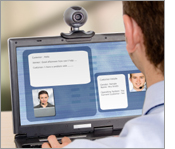
With traditional network infrastructure, when employees are away from the office—because they’re traveling for business purposes are or are taking time off—collaboration is impossible and productivity is lost.

As a result, many companies are helping their employees to work remotely. A 2007 study by Nemertes Research revealed that 83 percent of organizations now consider themselves virtual, with workgroups spread across multiple locations and geographies. In addition, 91 percent of employees work outside of headquarters, and 96 percent use some form of real-time collaboration tools.

A mobile workforce may involve:

  • Real-time access to desktops and documents;
  • Internet and instant messaging access through mobile devices;
  • Real-time collaboration tools (such as editing documents simultaneously); and
  • Audio and video conferencing.

Companies that effectively enable a mobile workforce:

  • Improve productivity through ongoing access to information;
  • Drive business responsiveness through constant communication between employees and clients; and
  • Support work-life balance and improve job satisfaction—which helps attract and retain talent.

However, there are challenges to enabling a mobile workforce:

  • Deployment can be disruptive to your current IT infrastructure;
  • Devices and applications may be incompatible with your current infrastructure;
  • Employees may not know how to use new tools; and
  • Mobile devices and data may not be protected.

We can help you avoid these problems when enabling a mobile workforce—and at the same time, minimize your investment in technology with products that scale to support your evolving needs. Contact us for more information.

Published with permission from TechAdvisory.org. Source.
Bookmark and Share
August 10th, 2009

At the recently concluded Microsoft World Wide Partners Conference, the company gave partners a preview of upcoming features in Microsoft Office 2010 that could be very useful for small and midsized companies. Among them:

  1.  Microsoft Word, PowerPoint, and OneNote 2010 now lets several people work on a document at the same time. Users of the desktop versions of the software will be able to send out a text link that will let anyone click on the link and use Windows Live to open the document and work on the live, with all parties seeing each others’ changes.
  2. Outlook 2010 will have a new feature which will allow users to ignore email threads, deleting everything in that conversation, including existing messages and any new ones that come in.
  3. PowerPoint 2010 will have a Broadcast feature will create a URL that users can share via e-mail or IM. Clicking on the link will let other users see a slideshow streaming directly from the author’s desktop.

To find out more about these new features, visit the Microsoft WWPC website.

Related articles:

Published with permission from TechAdvisory.org. Source.
Bookmark and Share
August 5th, 2009

New research suggests that small and midsized businesses are struggling to keep up with securing their IT applications and infrastructure.

The IT Effectiveness Index report, or ITEI, provides business owners and IT executives at small and midsized businesses with a free online benchmarking tool to help them compare the effectiveness of their IT systems with companies in the same industry and peer group. Executives who take the survey are given a grade from A through F, along with a brief description of what their grade means.

Nearly one in four SMBs received an “F” or failing grade in IT effectiveness, the study says. According to the report, this failure stems largely from a lack of security, a high level of downtime, and the absence of disaster recovery programs. The report revealed that about 37 percent of SMBs received a “C” grade, which indicates they are just barely getting by; only 30 percent have a fully implemented security program; and only 26 percent have fully implemented a disaster recovery/continuity plan.

Is your business struggling with security? Do you want to increase the effectiveness of your IT? Consider outsourcing it to us so you can focus on your business and leave the worrying to us.

Published with permission from TechAdvisory.org. Source.
Bookmark and Share
July 27th, 2009

article_webcamThe internet makes a great number of tasks more convenient for many people, especially in the area of communication. The power of the internet allows millions of people around the world to talk to each other over voice programs and even videos – all in real time.

While the benefits to personal communications are obvious, the larger value implications of this type of technology is evident in business, where travel costs are greatly reduced through the use of video conferencing technology. Imagine a group of people in the United States being able to see and communicate in real time with another group in Australia. This is possible with video conferencing, which allows the two parties simply agree on a time (with the time zone difference considered, of course) and then hold a meeting in the comfort of their own offices.

Video conferencing not only saves the fares and accommodation expenses, but also saves time spent travelling. It’s also valuable to employees in the field who need to report to a main office. A webcam, a mike, and a decent internet connection allows those in the field to report in real time to the main office at any time, eliminating the need to leave their post or assignment.

Programs you can use:

  1. Citrix GoToMeeting – one of the most popular software for web conferencing, costing $49.00 per month or $468 for an annual plan that gives you unlimited conferences (including both video and voice) with up to 10 attendees. The interface is easy to use and meetings can be set up in a flash. The only downside is that Mac users can only participate in, and not set up, meetings.
  2. Microsoft Live Meeting – another popular bundle of decently priced and stable conferencing software. However, the interface is much more complicated than Citrix GoToMeeting, and may confuse first-time users. Another possible concern is its “per use” charging system.
  3. WebEx MeetMeNow – at $39 – $49 a month, this option offers the best value for the money, with its unlimited monthly use with up 10 participants and a very user-friendly installation and interface.
  4. Acrobat Connect Professional – this option offers the most flexible payment plans, making it best suited for occasional users. It also boasts customization features allowing users to tailor the program based on their needs.

Video conferencing is a simple and practical way to communicate in real time with personal and business contacts, wherever they are in the world, at a fraction of the cost of more traditional methods. Need help choosing equipment and getting set up? We’ll be happy to lend a hand.

Published with permission from TechAdvisory.org. Source.
Bookmark and Share